STEP 1: Log back into your account.
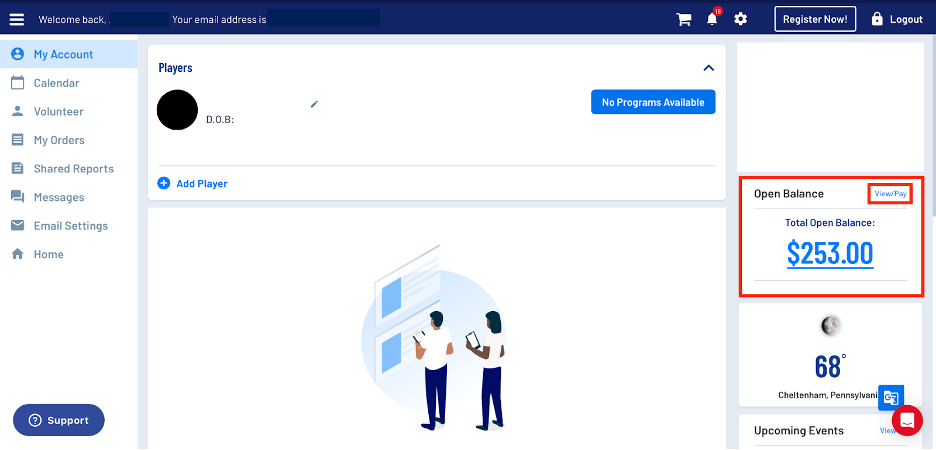
STEP 2: You then will see your open balance on the right side of your my account page, just about the weather. You wan to click on view/pay.
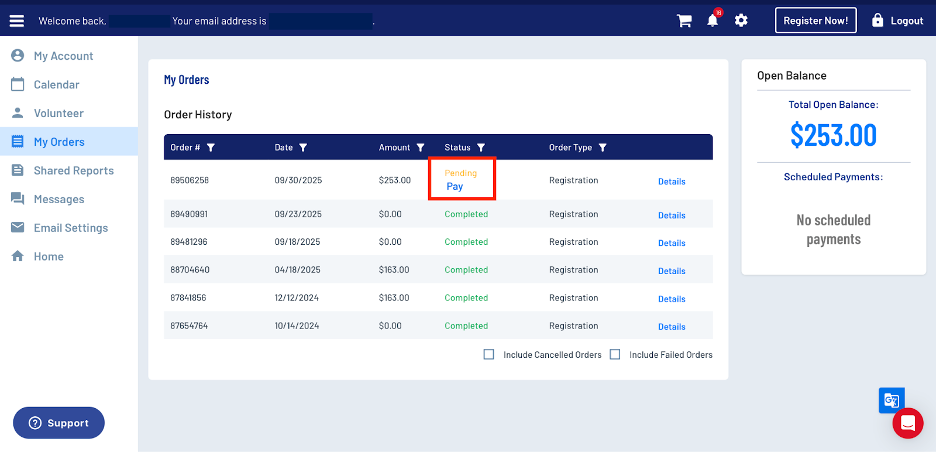
STEP 3: Next it will take you to the my orders page. There you will see your order history. You then want to click under the order status on the row in which you want to pay.
STEP 4: You then will be taken to the managed payment page, which is just the checkout page. Just fill in all the information to make your payment.
If you have any questions or problems, contact the registration coordinator.