STEP 1: Login into your account on the Cheltenham Little League Website.
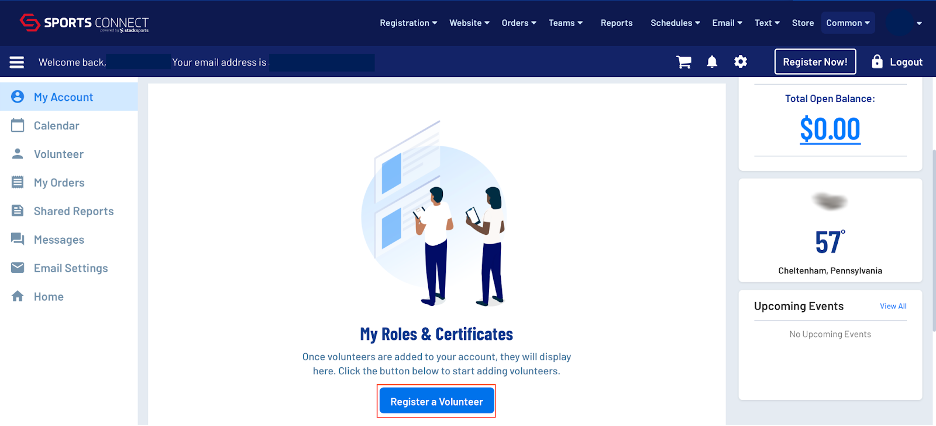
STEP 2: On the account dashboard, scroll down to My Roles & Certificates and click on Register a Volunteer
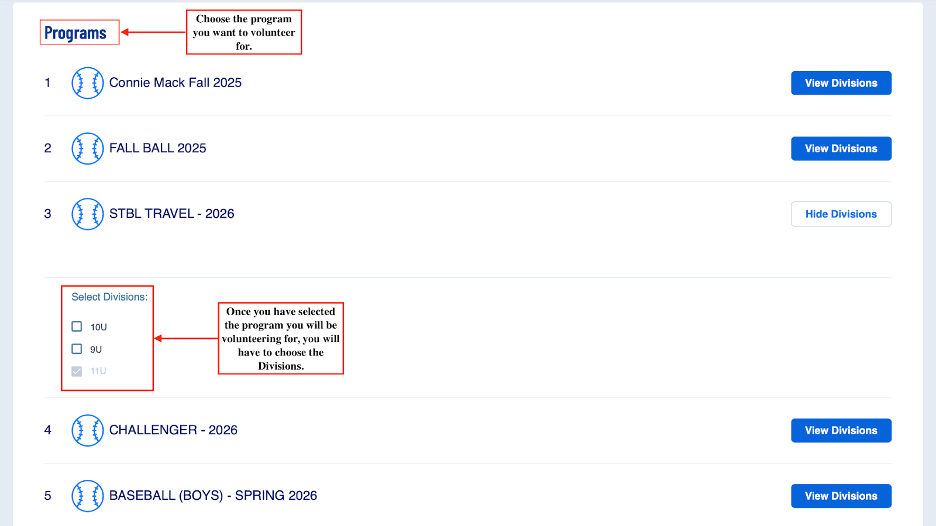
STEP 3: Choose the program and division you will be volunteering for.
STEP 4: Next you want to click sign up a registered user. If there is more than one registered user on the account you will have to choose which person you are signing up.
STEP 5: Fill out all required information and upload required clearances. Once completed you will be registered and added to a team by a league admin.